Creating a vhfid

Workflow Setting up dentalcnc machines.
Every user of dentalcnc needs a vhfid.
Prerequisites
-
You do not have a vhfid.
-
You have access to your work email inbox.
-
If you received an email invitation to join a company profile: Select the link in the email to create a vhfid.
If you do not have an invitation: Go to the page for creating a vhfid: Create vhfid
-
The website to create a vhfid opens in your default browser.
-
If myvhf is displayed with the profile of different user instead:
-
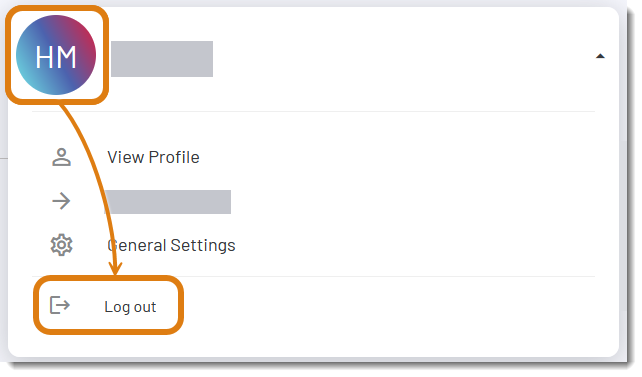
Open the myvhf user menu via the user icon.
-
Select Sign out.
-
Go to the page for creating a vhfid: Create vhfid
-
Fill out the form.
-
Select Continue.
-
Check your email inbox.
-
It may take a few minutes for the email to arrive.
-
Also check your spam folders.
-
-
Click the link in the email and select the Complete now button in your browser.
If you have activated your vhfid on a different device (e.g., your smartphone), switch back to the dentalcnc computer for the next steps.
-
Your vhfid is active immediately.


