Creating a myvhf company profile
Workflow Setting up dentalcnc machines.
Your company needs a company profile in myvhf. You can then add machines and your team members to this company profile. This ensures accurate manufacturing statistics in myvhf.
-
The person who creates a company profile in myvhf automatically becomes the company administrator.
-
As a company administrator, make sure that your personnel do not create their own company profiles in myvhf.
Prerequisites
-
Your vhfid has not yet been assigned to a company profile.
-
Your company does not yet have a profile on myvhf.
-
Open the myvhf myvhf website
If necessary, sign in using your vhfid.
-
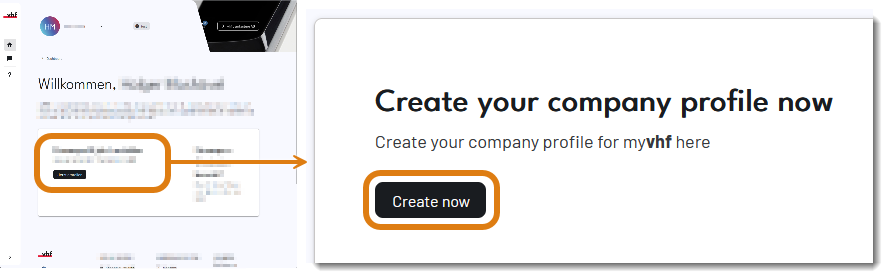
Under Create company profile, select Create now.
-
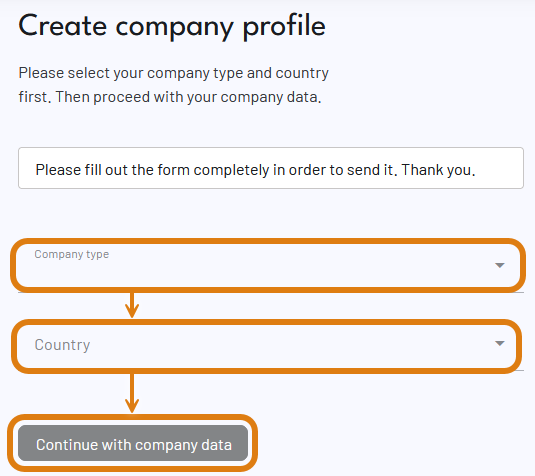
Select the company type and country from the respective list.
Notes on form fields
Type of company
Select the entry that applies to your company:
-
End user: If you use vhf products for production.
-
Reseller: If your company sells products but another company provides the related servicing.
-
Reseller & service partner: If your company sells vhf products and provides the servicing for them.
-
Service partner: If your company provides servicing for vhf products but does not sell them.
vhf-Business partners must already be registered with vhf. Selecting an option on this form does not result in automatic registration.
-
-
Select the Enter company details button.
-
If myvhf displays the message that a company profile is not available in your country, cancel the process. You can use dentalcnc even without signing in your machine.
-
Fill out the rest of the form. Activate all the check boxes.
-
Select Submit information.
-
End users: Your company profile is active immediately.
vhf business partners: vhf will activate your company profile after review.
 Troubleshooting
|
Error |
Possible cause |
Recommendation |
|---|---|---|
|
Error message: A company profile is not available in my country. |
myvhf is not yet available worldwide. |
|
|
Error message: Company profile already exists. |
Someone has already created a company profile under the name you entered. |
|


