Managing tools and tool magazines

→
→
→
→
Managing tools
NOTICE
Damaging of the spindle or the tool positions if you use improper tools
Improper tools can damage the collet chuck of the spindle and / or the tool positions.
-
Only use tools with a sufficiently large chamfer at the tool shank.
-
Install a retaining ring as a stop ring according to DIN 471-A3.
-
See the further instructions in chapter Technical data.
We recommend original tools as they are designed especially for the designated jobs.
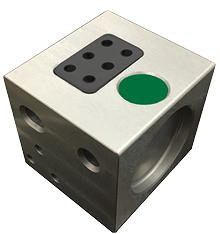
For each job, you need to insert the appropriate magazine into the working chamber.
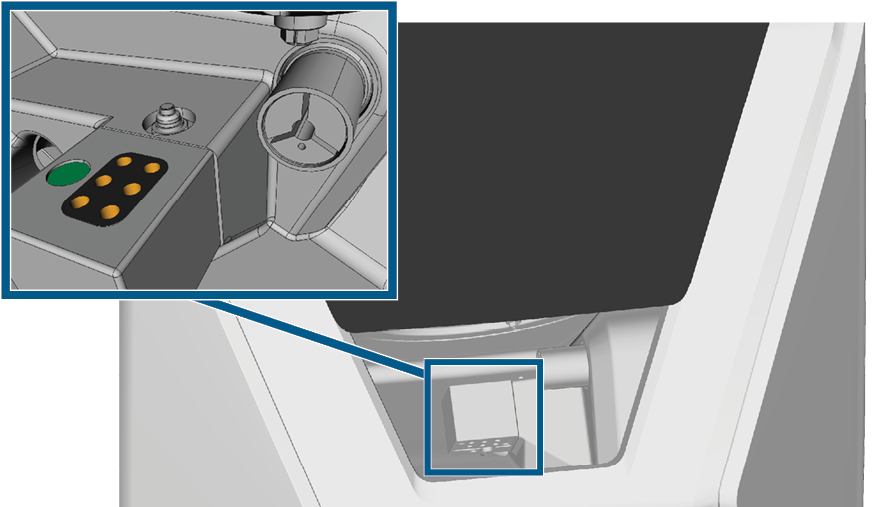
Tool magazine which is mounted to the tool magazine holder; tool positions marked orange
You can store magazines that are currently not needed in the multi-purpose drawer.
A sensor recognizes the tool magazine which is currently mounted into the working chamber.
The machine can change tools automatically during machining, thus it executes jobs without your intervention.
The machine requires different tools for the different machining strategies during a job.
-
dentalcnc shows the tools needed for a job in the Edit view.
-
Tools are assigned via the virtual tool magazine in dentalcnc. Adding manufacturing tools
If tool magazine inserts become worn, exchange them. Exchanging the tool magazine inserts
Color codes of the tool magazines
The tool magazines have color codes for the individual materials. In the following table you find an overview:
| Color code | Material | Letter |
|---|---|---|
|
|
Wax and plastics (PMMA) |
P |
|
|
Composites |
C |
|
|
Zirconia |
Z |
|
|
Non-precious metals (Cobalt chrome / Titanium) |
M |
|
|
Glass ceramics |
G |
 Green
 Yellow
 Blue
 Red
 White
Automatic or manual tool change
Tool change can take place automatically via the tool magazine or manually via the collet chuck. Since each tool position can be configured individually, automatic and manual changes are possible in parallel.
Automatic tool change properties
-
The machine automatically loads the necessary tools from the magazine during machining.
-
You must insert all required tools into the tool magazine before the job starts.
-
Default case for all tool positions where no manual change is configured in dentalcnc.
Automatic tool change is not possible in the following cases:
-
A tool position is worn out and can no longer hold any tools properly.
-
You use tools which do not fit into the tool magazine.
Manual tool change properties
-
During the application, you manually insert the tools into the spindle’s collet chuck at the request of dentalcnc.
-
You must configure this manual tool change for individual tool positions in dentalcnc.
Inserting and exchanging tools
You need to insert or exchange tools in the following cases:
- Upon first use of the machine
- After replacing a tool magazine (in case of loss or damage)
- After exchanging tool magazine inserts due to wear
- When the tool life of a tool has expired
- When tools are damaged or worn
- If the next jobs require additional / different tools than those in the tool magazine
You can check the remaining tool life of all tools in the Tool management view in dentalcnc.
You insert tools manually as follows:
-
CAUTION!Wear gloves.
-
Open the working chamber door.
-
Remove the tool magazine from the working chamber.
To do this, pull it to the left of the tool magazine holder.
-
ATTENTION! Remove worn or damaged tools from the tool magazine if any. dentalcnc shows tool life in the tool management view.
-
Ensure that the positions of the tools in the tool magazine match the tool positions in dentalcnc.
The arrangement of the tool positions in the tool magazine corresponds to the arrangement in the software. Adding manufacturing tools
-
Insert the tools straight into the tool positions with the cutting edge pointing downwards. Push them in until the ring engages the tool magazine insert.
-
If the new tool replaces an old tool of the same type, reset the tool life to dentalcnc.
-
When you have inserted all the tools you need, position the tool magazine on the tool magazine holder.
ATTENTION! Tool breakage and defective machining results due to incorrect tool assignment
The vhftool packaging helps you to insert the tools.
Attaching and exchanging tool magazines
Damage of the tool magazines and tool magazine holder
If you tilt the tool magazine when mounting it or the holder is dirty, the magazine can no longer be easily inserted into the holder. If you mount or remove tool magazines by force, you can damage the tool magazine and the tool magazine holder.
- Always keep the tool magazine holder and the holes in the tool magazines clean.
- Grease the tool magazine holder according to the information in the maintenance table.
- Plug tool magazines straightly onto the holder. If necessary, remove the magazine and reattach it.
You exchange tool magazines by pulling them off and plugging them on the tool magazine holder.
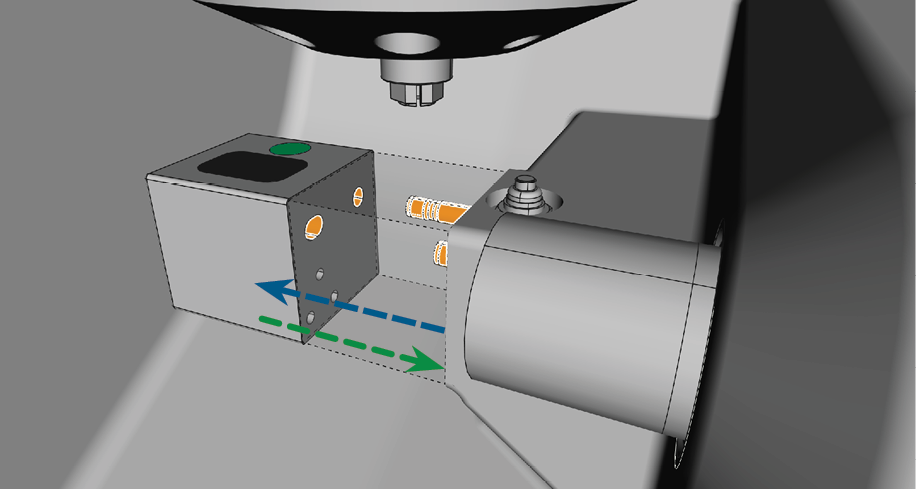
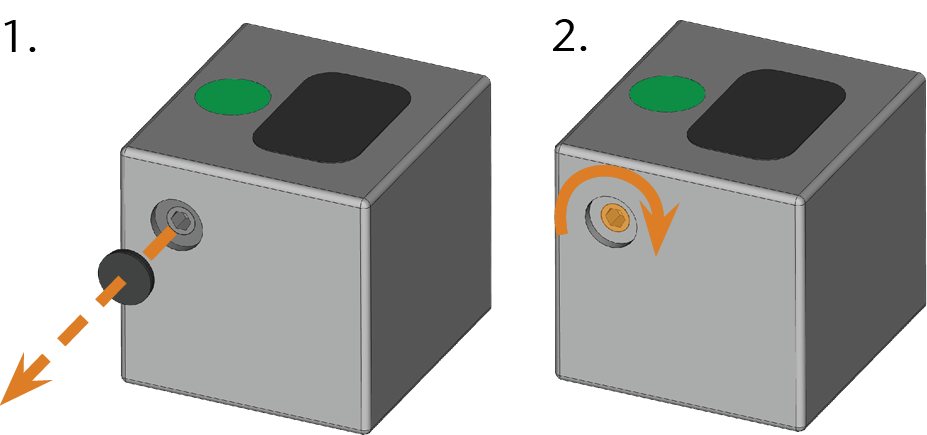
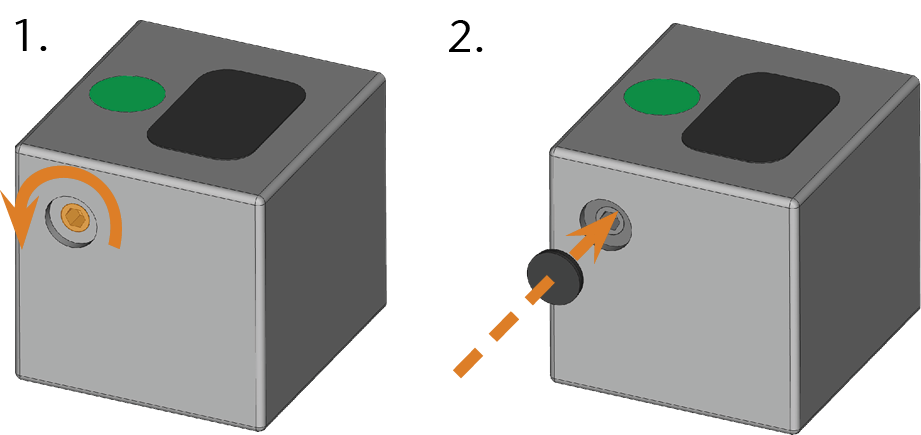
In case a tool magazine gets stuck on the holder, use the screw on the backside of the tool magazine to loosen it.
- Pick up a flat blunt tool (e.g. a slot screwdriver).
- Use the tool to remove the protective cap on the screw and put it aside within reach.
- Using the provided Allen key, turn the screw clockwise.
- The tool magazine moves backwards and is released.
- Remove the tool magazine from the working chamber.
- Reset the screw to its original state:
- Using the provided Allen key, turn the screw counterclockwise into its original position.
- Cover the opening with the protective cap.
- The screw is reset and the tool magazine is ready to be mounted again.
Select the correct tool magazine in dentalcnc for the next job:
- If an incorrect tool magazine is mounted, remove this magazine by pulling it off the tool magazine holder (See this figure, blue arrow).
- To mount the required tool magazine, identify it by comparing the color code.
- Make sure that the contact surfaces of the tool magazine holder and the tool magazine are clean.
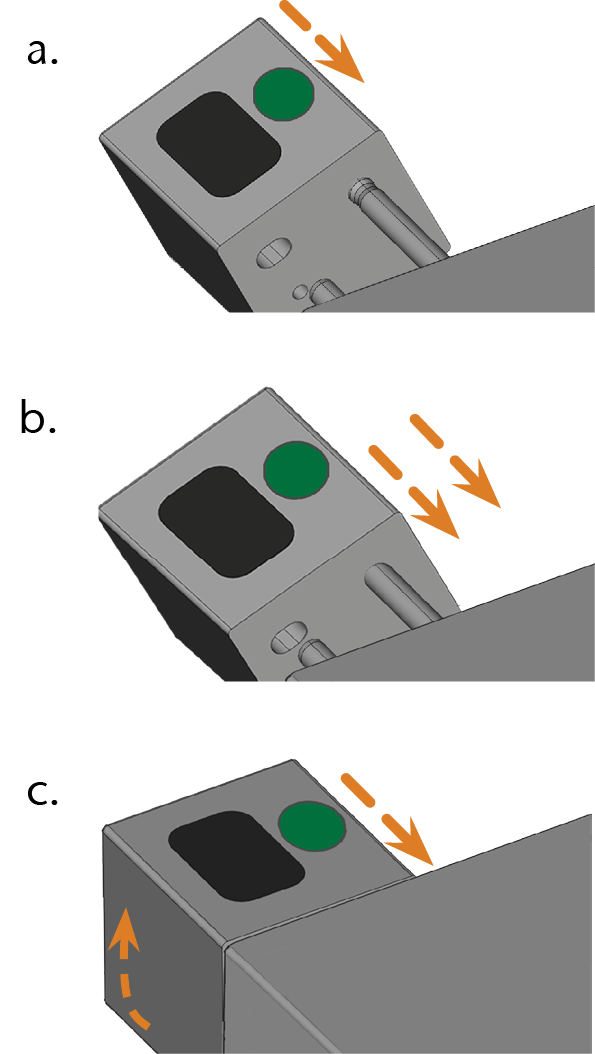
- Plug the tool magazine onto the tool magazine holder (See this figure, green arrow):
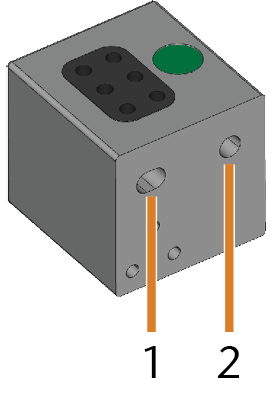
- Position the smaller rear drill hole [2] on the long pin of the tool magazine holder. Push it onto the bolt until you feel a resistance.
- Overcome the resistance by pushing the tool magazine harder onto the bolt.
- Align the smaller front drill hole [1] with the short pin of the tool magazine holder. Push the tool magazine onto the short bolt until it is properly seated on the tool magazine holder.
You can only execute jobs when the machine recognizes the required tool magazine.