Defining manual tool changes for tool positions
By default, the machine loads tools from the tool magazine of the machine. However, you can also force a manual tool change for specific positions.
This is helpful in the following situations, for example:
- A tool position is worn out and can no longer hold any tools.
- You use tools which do not fit into the tool magazine.
For a manual tool change, you must insert the appropriate tool into the spindle while the product is being manufactured. This means that completely unattended manufacturing is not possible.
-
Open tool management with the following icon in the Main icon bar:

-
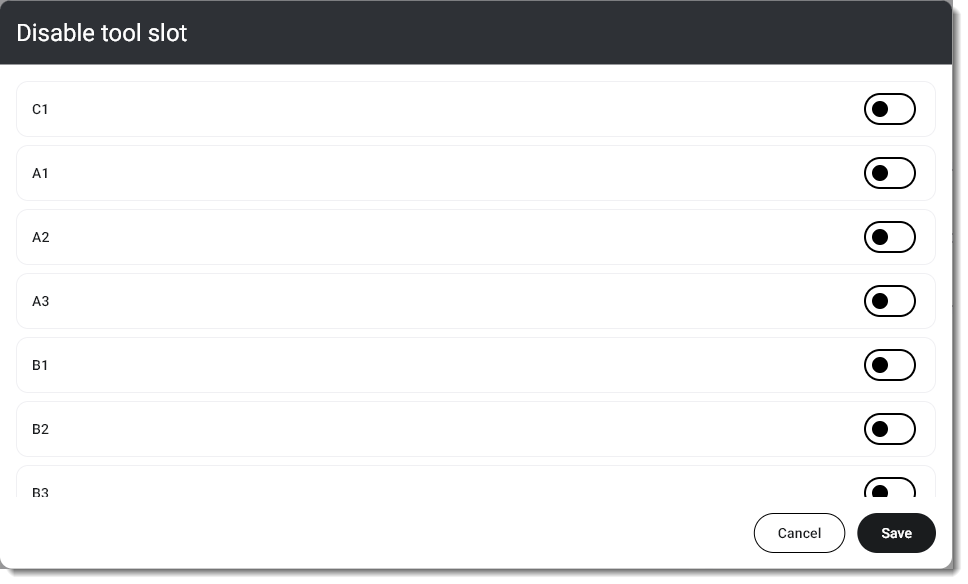
In the Virtual tool magazine section, select Disable tool position.
-
A window opens.
-
Activate or deactivate the toggle switches for the desired tool positions.
-
Select Save.
-
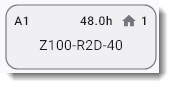
The tool positions with activated manual tool change are highlighted in gray.
What's next?
Add tools:


