Preparing and properly using a micrometer

Workflow Calibrating the machine.
To measure the calibration or test specimen, you need to use a micrometer.
-
Never use common measuring instruments such as rulers or calipers for measuring calibration or test specimens. These instruments are too imprecise for this task.
NOTICE! Machine failure and poor manufacturing results due to inaccurate measuring values
Overview of the micrometer
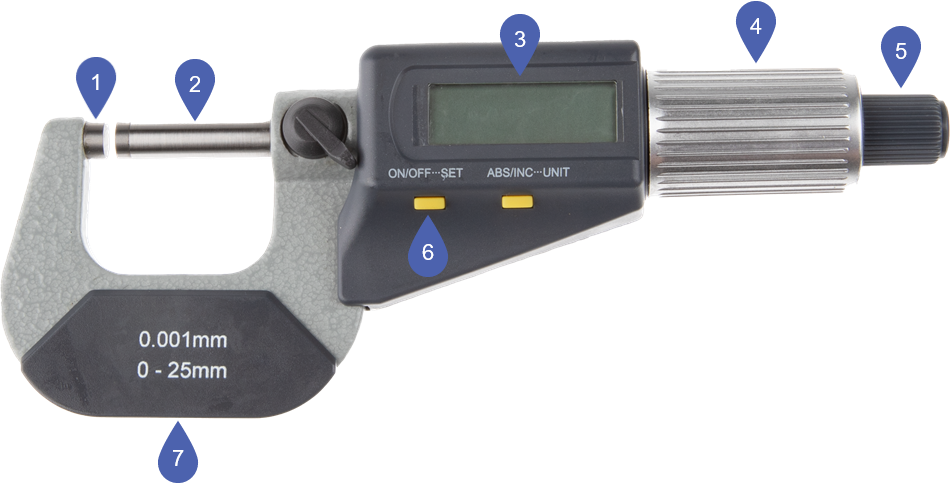
Example: Micrometer; the model included may vary
|
1 |
Anvil |
|
2 |
Measuring spindle |
|
3 |
Display |
|
4 |
Ratchet |
|
5 |
Quick drive |
|
6 |
ON/OFF SET button |
|
7 |
Insulated handle |
How to Use a micrometer correctly
If you use the micrometer incorrectly, your measuring values will be imprecise and calibration will fail. Incorrect use of the micrometer is a common cause of machine failure.
-
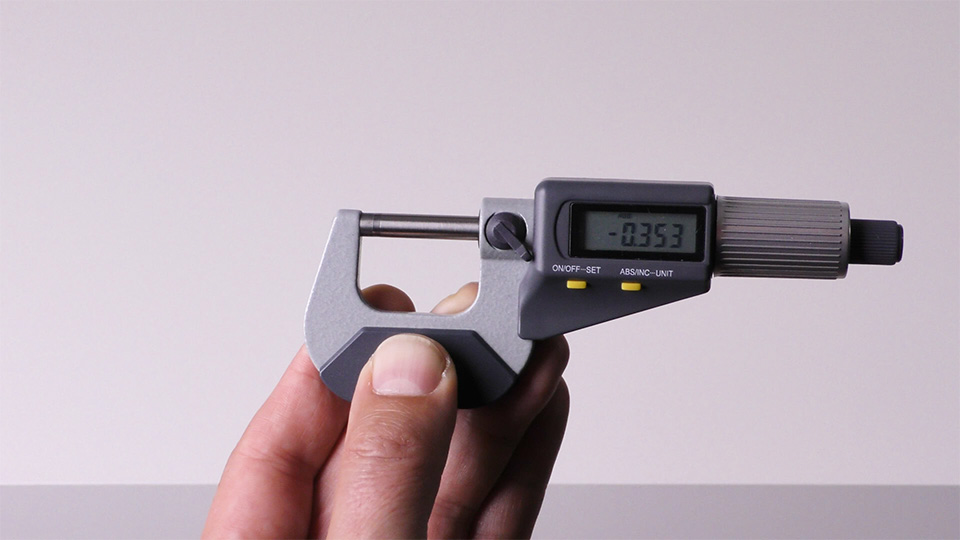
Hold the micrometer only by the insulated handle. This prevents body heat from being transferred to the measuring instruments, which would result in inaccurate readings.
-
Turn on the micrometer via the ON/OFF SET button.
-
Move the measuring spindle as far away from the anvil as possible: Turn the quick drive toward you.
-
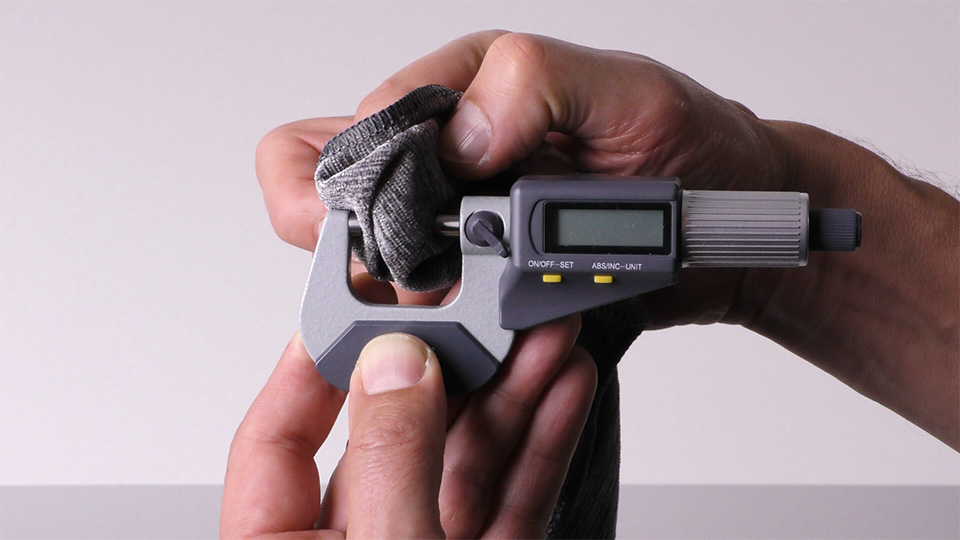
Clean the measuring spindle and anvil with a dry, lint-free cloth.
-
Set the zero point Carefully move the measuring spindle toward the anvil.
-
Turn the quick drive away from you until the measuring spindle and anvil are 2 mm removed from each other.
-
Turn the ratchet away from you until the measuring spindle and anvil touch.
-
-
You can hear the clicking sound of the torque mechanism. If you continue to turn the ratchet, the distance value on the display will not change.
-
Press and hold the ON/OFF SET button on the micrometer for more than 3 seconds.
- The zero point is set, which is indicated by the number 0.000 on the LCD display.
-
Turn the quick drive toward you until you can insert the object to be measured between the measuring spindle and the anvil.
-
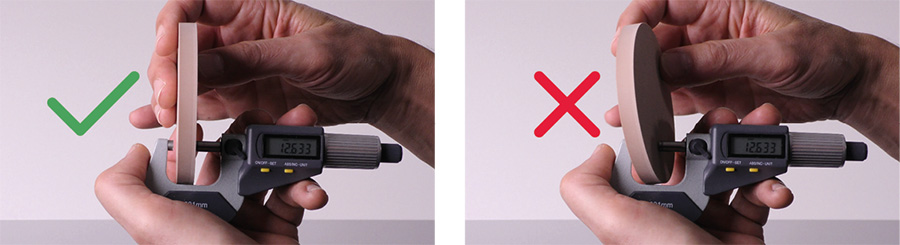
Position the object between the measuring spindle and the anvil.
Be careful not to tilt the object.
-
Carefully move the measuring spindle toward the object:
-
As long as the measuring spindle is more than 2 mm away from the object, use the quick drive.
-
If you move the measuring spindle toward the object using the quick drive, the object will be compressed and the measurement result will be inaccurate. Use the ratchet to move the measuring spindle toward the object.
NOTICE! Incorrect measurement results due to improper use of the quick drive
-
-
You can hear the clicking sound of the torque mechanism. If you continue to turn the ratchet, the distance value on the display will not change.