Calibrating the measuring sensor
When changing the measuring sensor or end switch, the measuring sensor must be measured.
For most machines, this maintenance function requires the service mode.
On the following machines, the function also opens in a simplified version in the user mode:
-
E4
-
E5
For vhf-certified service staff, the full version of the maintenance function is described in the service area:
-
For machines with removable tool magazine, install the tool magazine in the working chamber.
-
Activate service mode. For instructions, see Activating service mode.
-
Open machine management with the following icon in the Main icon bar:

-
Select the Service functions tab.
-
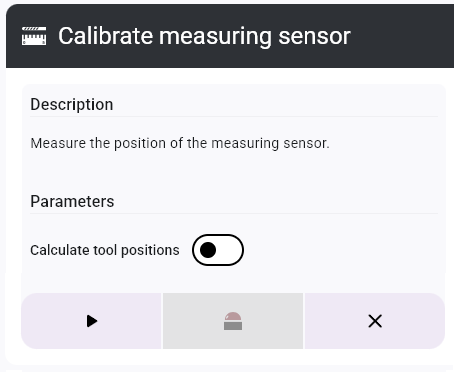
In the Calibrate measuring sensor function, select the Start button.
-
A window opens.
-
Start the process with the following icon:
-
Confirm the current message.
-
The spindle moves to the tool change position.
-
Remove the tool from the spindle if necessary.
-
Confirm the current message.
-
The spindle moves down on the measuring sensor, and the measuring sensor position is calculated.
-
Save the calibration values with the Save positions button and confirm with Yes.
or
Discard the calibration via the No button.
-
vhf recommends performing an axis calibration after calibrating a measuring sensor. It is not necessary to measure the test specimen. For instructions, see Calibrating the machine.
To add a calibration specimen job to the queue, select the Add calibration specimen to queue button.
To calibrate the axes later, select the Calibrate machine later button.

-
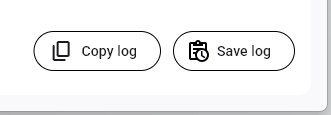
(Optional) Save the operation log:
-
To save the data as a text file, select the Save log button and select a storage location.
-
To copy the data to the clipboard, select the Copy log" button.
-
-
Close the function with the icon.


