Activating service mode
Service mode allows the use of expanded software functions for servicing tasks that are reserved for certified service personnel.
Requirement Your vhfid has access to service mode. For instructions on how to apply, see Unlocking service mode for service personnel.
-
Sign in to dentalcnc with your vhfid.
-
Activate service mode:
-
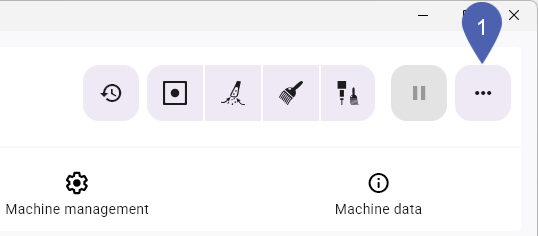
Open the Quick Servicing Menu.
-
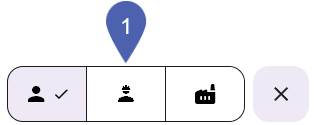
Select the service mode icon.
-
What's next?
After completing the servicing tasks, you must activate user mode.


