Requirements for STL files

The design of the 3D models also contributes to high-quality manufacturing results. Problematic STL files can result in flawed manufacturing results or broken tools.
In the following, we provide a few tips to avoid common mistakes when you prepare STL files. Correct errors in STL files with your CAD application or export them with suitable settings.
Common errors in the 3D mesh
These errors are primarily mathematical problems with the 3D mesh from which objects are made. These objects are often non-manifold. “Non-manifold” refers to a geometry that cannot exist as a physical object in the real world.
You can have the integrated object viewer analyze these errors. See Use the object viewer.
| Error | Description | Targeted value |
|---|---|---|
|
Degenerated triangles have an area of almost 0. They can slow down CAM calculations or lead to calculation errors. They are often caused by export errors. |
0 |
|
|
In this case, multiple identical triangles lie exactly on top of one another. Duplicate triangles increase the file size and can lead to surface issues. |
0 |
|
|
The object must consist of 1 continuous geometric shape. Use exactly 1 file for each specimen. |
1 |
|
|
The object’s 3D mesh must form a completely closed volumetric solid. There may be no holes or open areas. |
Sealed/waterproof |
|
|
A corner point is non-manifold if the surfaces cannot be arranged seamlessly and clearly around that point. Non-manifold corner points can cause problems when calculating tool paths. |
0 |
|
|
A non-manifold edge is shared by more than two triangles at the same time |
0 |
|
|
Open edges occur where a triangle has no directly adjacent face. They often indicate holes or open areas. |
0 |
|
|
The triangles do not have a uniform area standard |
0 |
Preparation margin too thin
If the preparation margin of the object is too thin, parts of the object may break off.
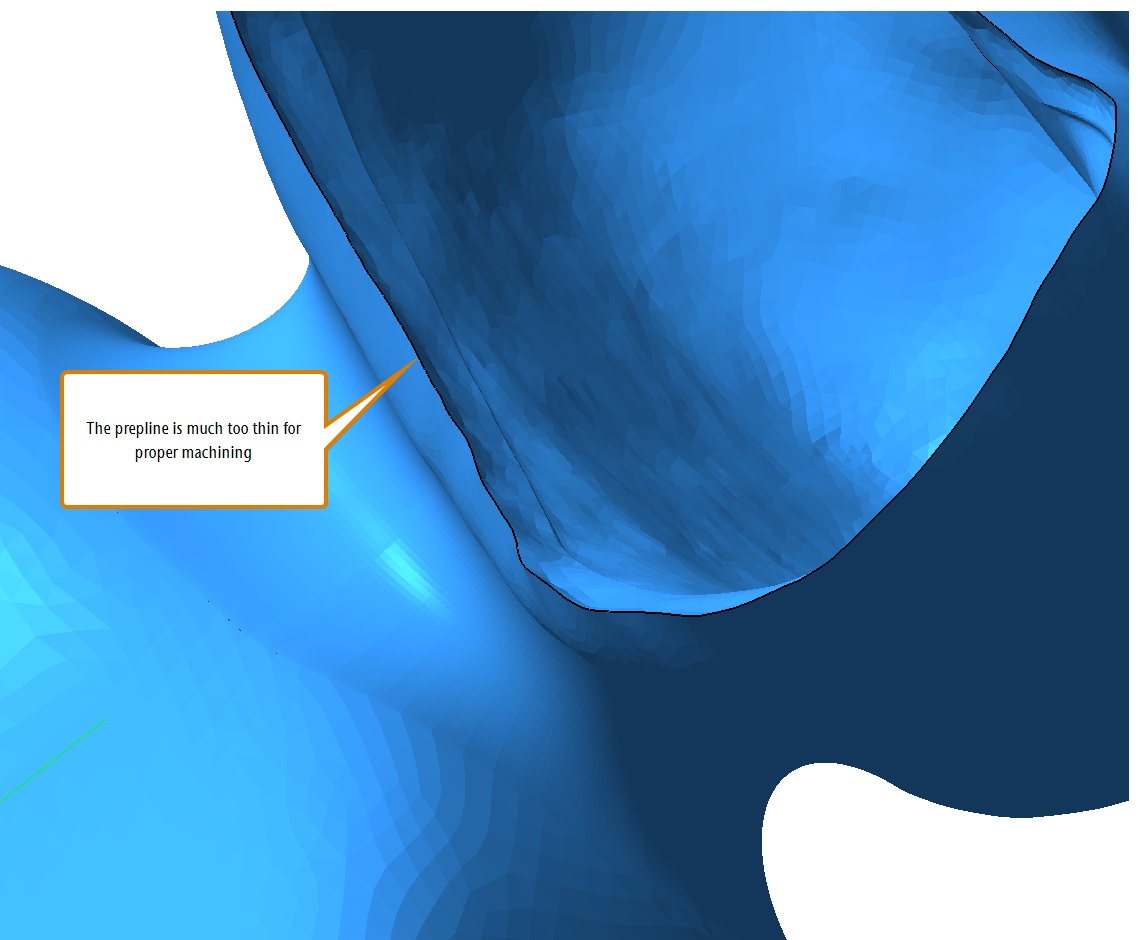
An STL file where the prepline is too thin
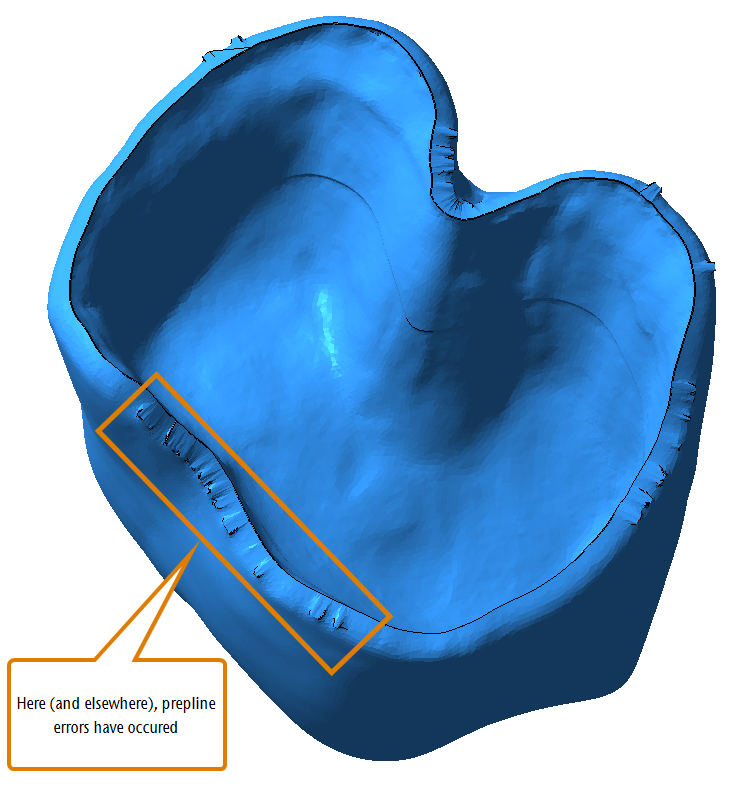
Incorrect preparation margin
If the preparation margin of the object contains errors, the manufacturing results will be unusable.
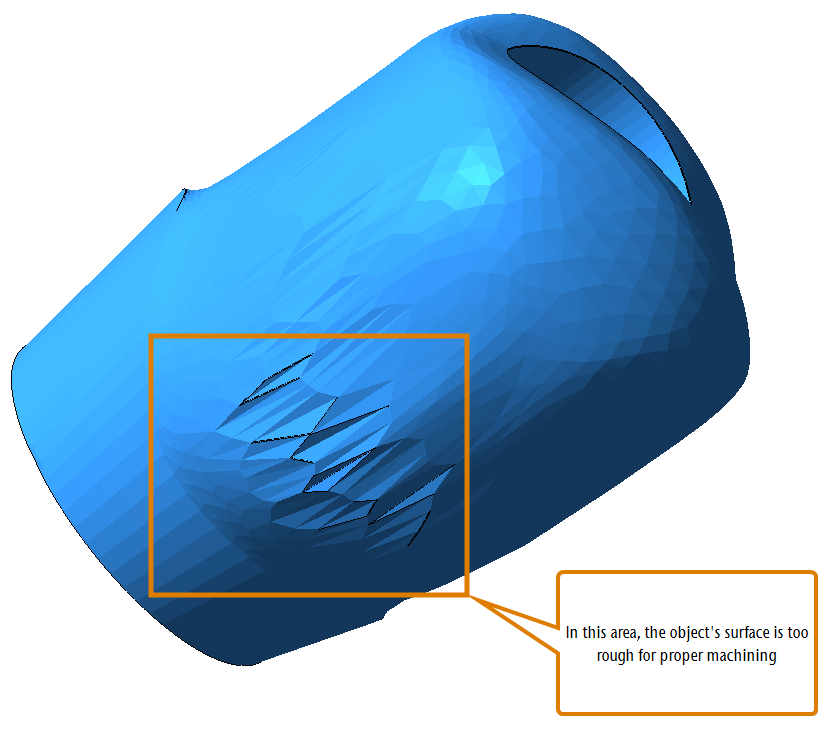
Surface too rough
If the surface of your object is too rough, problems with fittings may occur.
Resolution too low or too high
Models in STL files are made of triangles. The higher the resolution of the STL files, the more triangles are used and the smaller the triangles become. More triangles mean more surface details, but also larger files.
If the resolution of the STL file is too low, triangles will become too big and there will not be enough surface details for proper manufacturing.
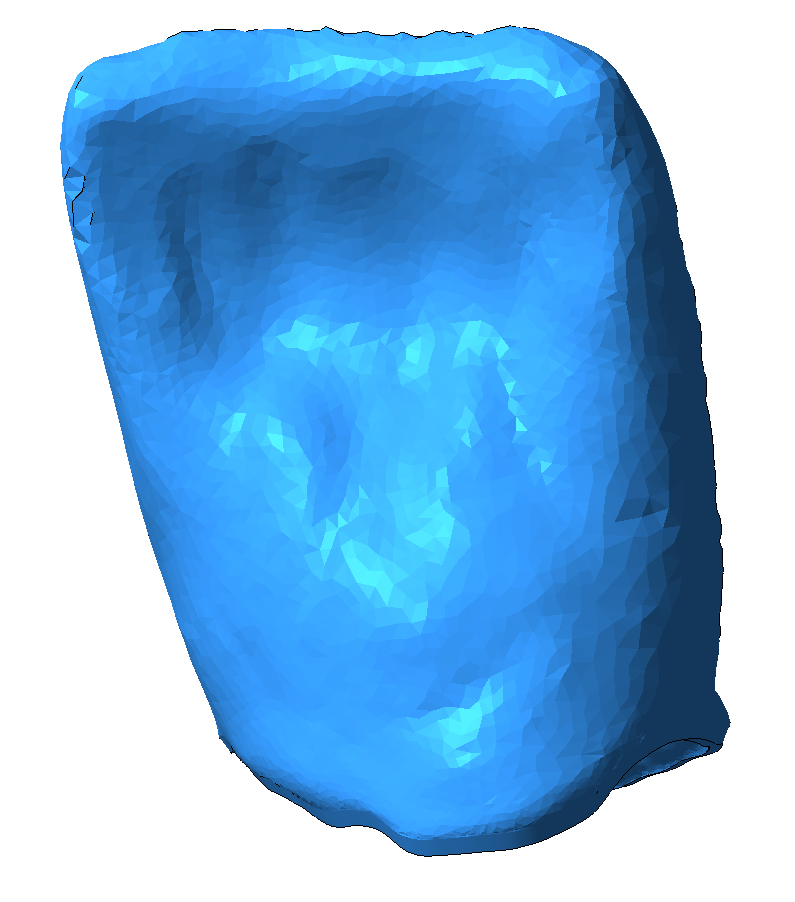
An STL file with a low resolution, resulting in big triangles
If the resolution of the STL file is too high, the file size will be too large. This results in long loading and processing times. These STL files will contain more surface details than your machine can manufacture.
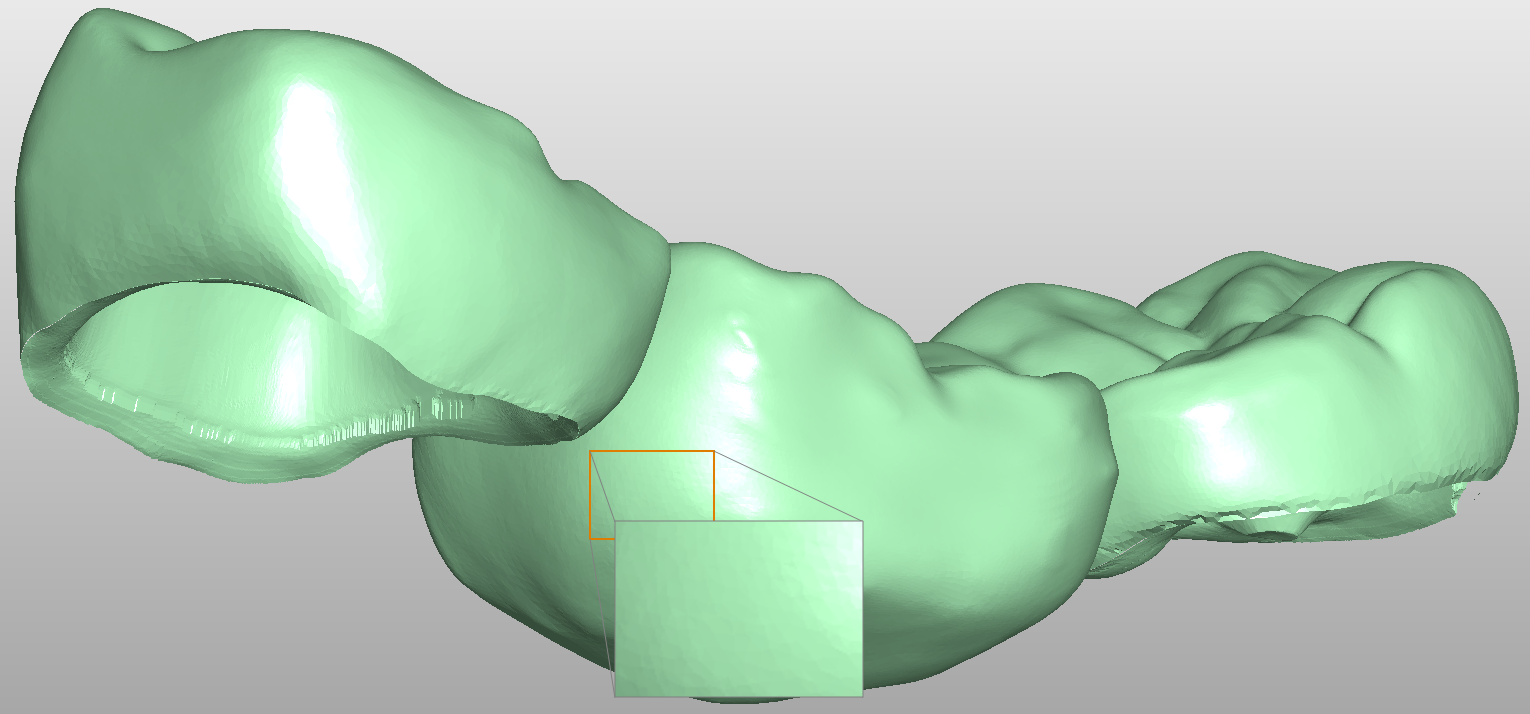
3-unit bridge with too many surface details (file size: 42 MB)
| Indication | Typical number of triangles | Typical STL file size |
|---|---|---|
|
Abutment |
50,000 |
3 MB |
|
Bite splint |
280,000 |
15 MB |
|
Bridge |
110,000 550,000 |
5 MB (5 units) 25 MB (14 units) |
|
Coping |
100,000 |
6 MB |
|
Single crown (fully anatomical) |
50,000 |
3 MB |
|
Implant bar |
15,000 |
6 MB |
|
Inlay |
80,000 |
4 MB |
|
Clamp prosthesis |
75,000 |
4 MB |
|
Implant bridge with a gingival portion |
100,000 |
7 MB (14 units) |
|
Telescopic crown |
25,000 |
2 MB |
|
Veneer |
25,000 |
2 MB |
Interdental errors
If there are incorrect surfaces between teeth, the manufacturing result will become unusable.
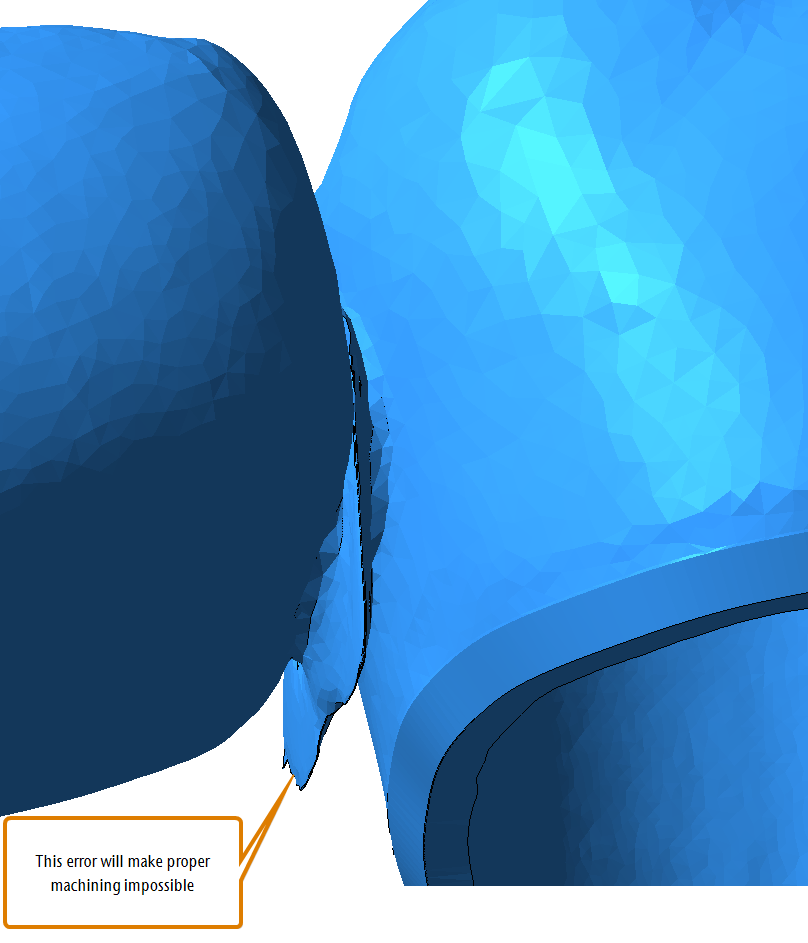
An STL file with an interdental error
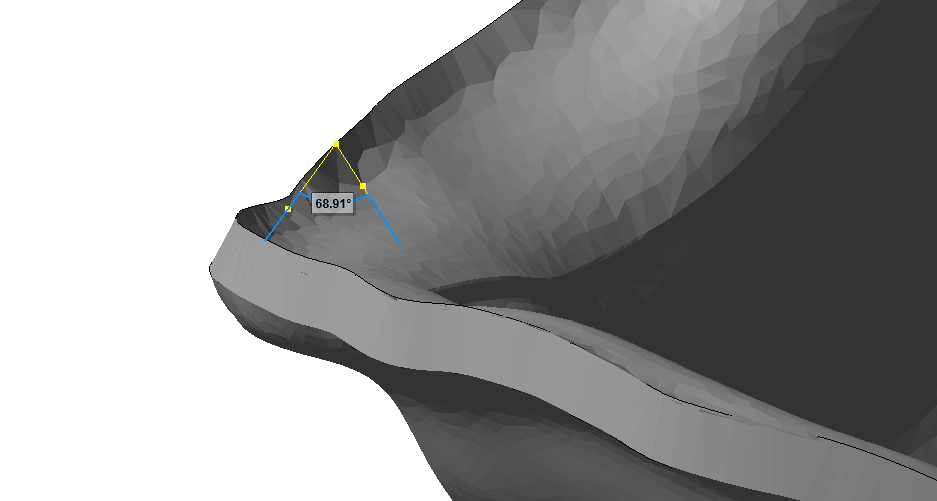
Acute angles
Acute angles lead to the material thickness becoming infinitely small at the tip.
What's next?
If you want to import objects directly
If you want to check an object for errors first:


