Loading blanks manually into the working chamber
During manufacturing, the machine automatically loads the blanks required into the working chamber. You can also manually load blanks into the working chamber via the Blank magazine Part of the blank changer in which you store the blanks for automatic loading. view.
Security
NOTICE! Damage to the machine and blanks caused by incorrect loading of the blank magazine Part of the blank changer in which you store the blanks for automatic loading. and working chamber
If the configuration of the blank magazine Part of the blank changer in which you store the blanks for automatic loading. or the working chamber in dentalcnc does not match the physical layout of the machine, collisions may occur during the loading and unloading of blanks, resulting in damage to the machine and the blanks.
-
Always keep the mounts in the blank magazine
Part of the blank changer in which you store the blanks for automatic loading. and the working chamber that are unoccupied in dentalcnc free of physical objects. -
Always make sure that the load of the blank magazine
Part of the blank changer in which you store the blanks for automatic loading. and the working chamber in dentalcnc and the machine match.
Procedure
Prerequisites
-
The blank to be loaded is either in the blank magazine
Part of the blank changer in which you store the blanks for automatic loading. of the machine, or the corresponding job is in the queue.
On machines with automatically operated doors and flaps, dentalcnc opens and closes these in accordance with the respective step in the process. To keep the instructions concise, these automatic processes are not mentioned separately in the instructions.
-
Open the Blank magazine
Part of the blank changer in which you store the blanks for automatic loading. view with the following icon in the Main icon bar: 
-
Drag the blank from the Jobs in queue or Blank magazine
Part of the blank changer in which you store the blanks for automatic loading. section to the Working chamber section.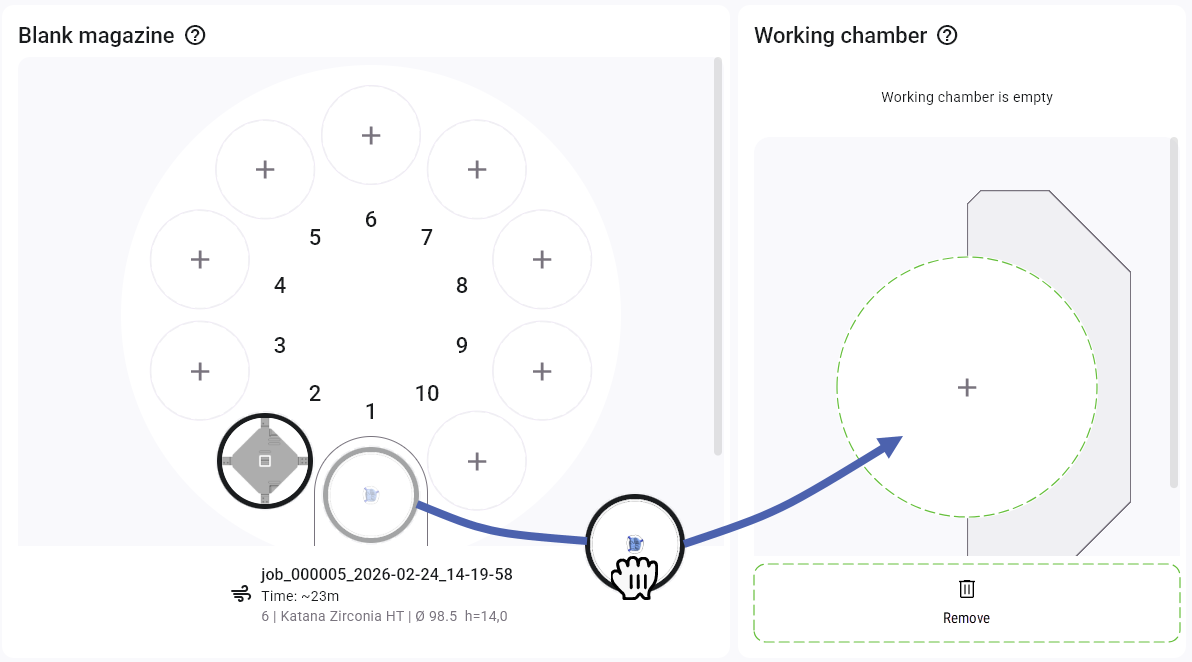
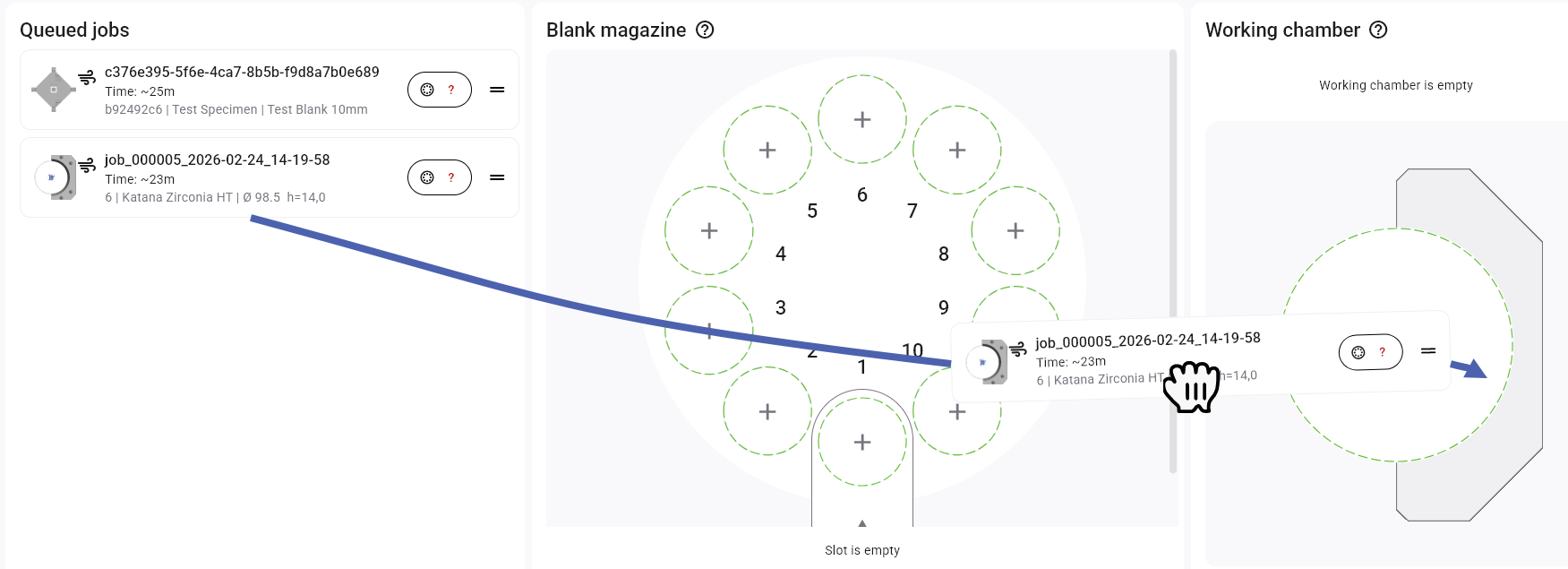
-
If there is already a blank in the working chamber, it must be removed. The following cases apply:
The blank comes from the blank magazine
Part of the blank changer in which you store the blanks for automatic loading.The blank was mounted directly
The machine automatically unloads the blank into its original magazine position.
R5: dentalcnc displays on-screen instructions to help you manually remove the blank.
S5: dentalcnc removes the blank from the working chamber only in the Blank magazine
Part of the blank changer in which you store the blanks for automatic loading. view. You must manually remove it from the working chamber.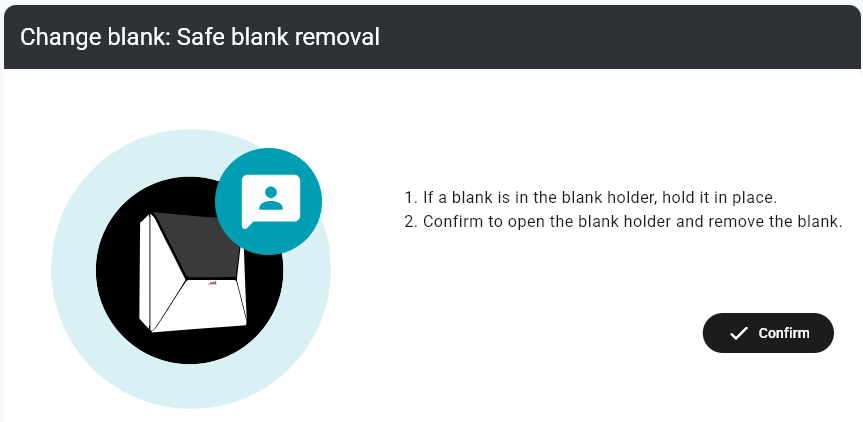
On-screen instructions for a R5
-
If the blank was not unloaded automatically, remove the blank from the working chamber. If necessary, follow the steps in the on-screen instructions.
-
Mount the new blank in the working chamber.
-
The desired blank is located both physically in the working chamber of the machine and in the working chamber in the dentalcnc Blank magazine
Part of the blank changer in which you store the blanks for automatic loading. view.


