Managing tools

The workflow for restoration is as follows:
→
→
→
→
NOTICE
Damaging of the spindle or the tool positions if you use improper tools
Improper tools can damage the collet chuck of the spindle and / or the tool positions.
-
Only use tools with a sufficiently large chamfer at the tool shank.
-
Install a retaining ring as a stop ring according to DIN 471-A3.
-
See the further instructions in chapter Technical data.
We recommend original tools as they are designed especially for the designated jobs.
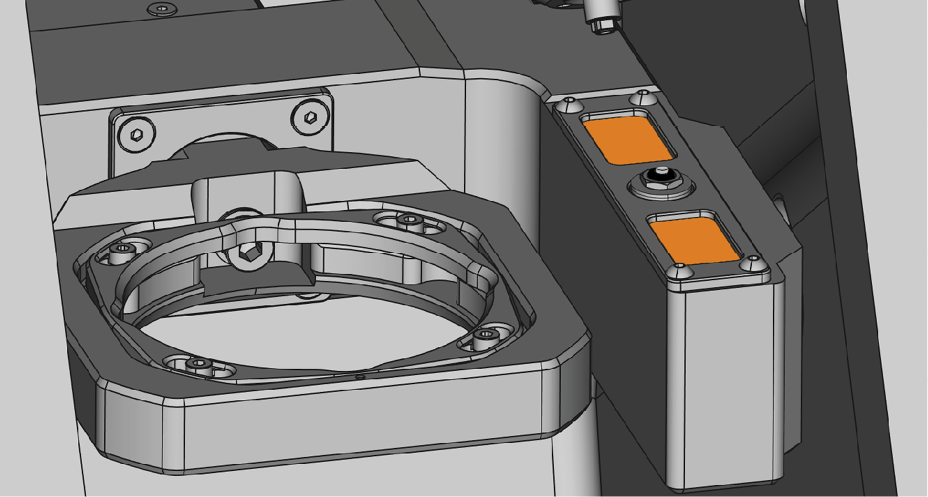
Automatic or manual tool change
Tool change can take place automatically via the tool magazine or manually via the collet chuck. Since each tool position can be configured individually, automatic and manual changes are possible in parallel.
Automatic tool change properties
-
The machine automatically loads the necessary tools from the magazine during machining.
-
You must insert all required tools into the tool magazine before the job starts.
-
Default case for all tool positions where no manual change is configured in dentalcnc.
Automatic tool change is not possible in the following cases:
-
A tool position is worn out and can no longer hold any tools properly.
-
You use tools which do not fit into the tool magazine.
Manual tool change properties
-
During the application, you manually insert the tools into the spindle’s collet chuck at the request of dentalcnc.
-
You must configure this manual tool change for individual tool positions in dentalcnc.
If tool magazine inserts become worn, exchange them. Maintenance
Inserting and exchanging tools
You need to insert or exchange tools in the following cases:
- Upon first use of the machine
- After exchanging tool magazine inserts due to wear
- When the tool life of a tool has expired
- When tools are damaged or worn
- If the next jobs require additional / different tools than those in the tool magazine
You can check the remaining tool life of all tools in the Tool management view in dentalcnc.
You can equip the tool magazine of your machine in two ways:
- By manual insertion into the tool magazine This is the fastest way.
- About the spindle You insert a tool into the collet chuck and the spindle places the tool in the tool magazine. This option takes more time, but might be more convenient for some.
You insert tools manually as follows:
- Remove worn or damaged tools from the tool magazine if any.
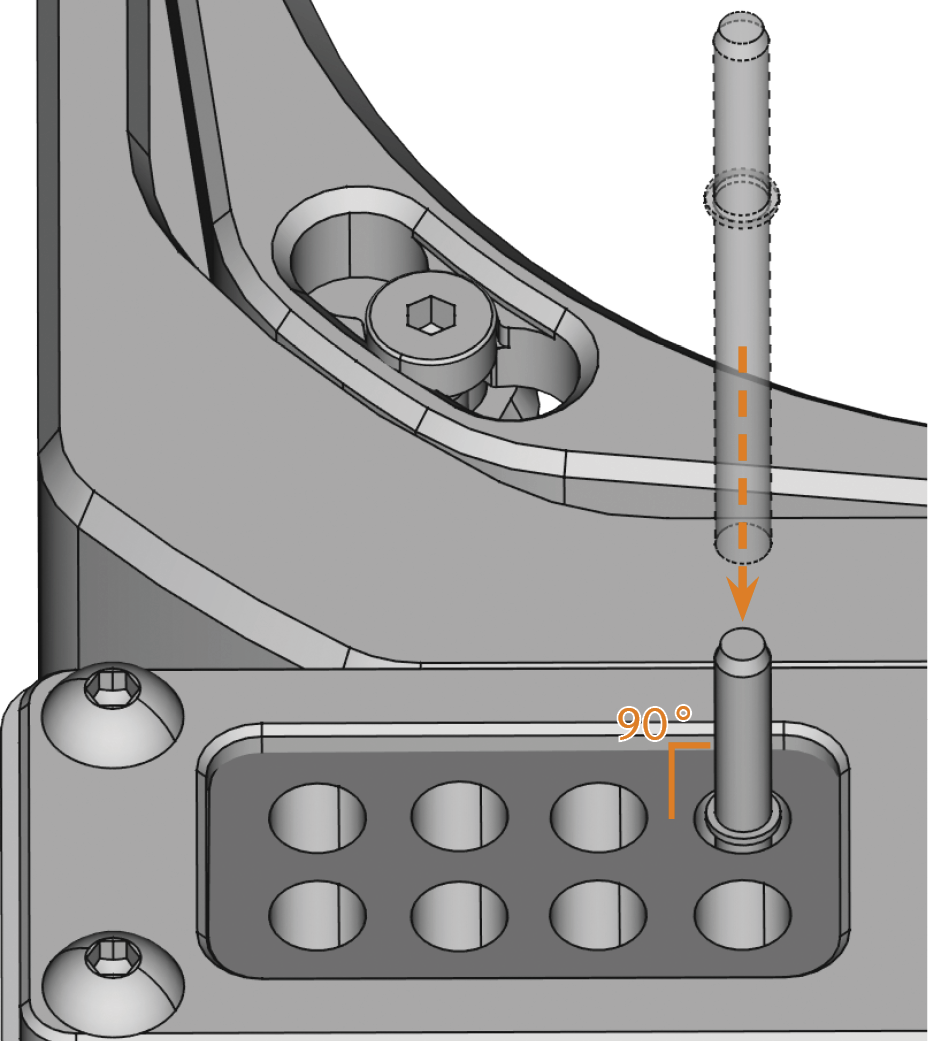
- Insert the new tools:
- Make sure that the positions of the tools in the tool magazine match the positions in dentalcnc.
- Insert the tools straight into the tool positions with the cutting edge pointing downwards. Push them in until the ring touches the rubber.
- After replacing a tool, reset the tool life value.
NOTICE! Unusable manufacturing results due to incorrect tool assignment
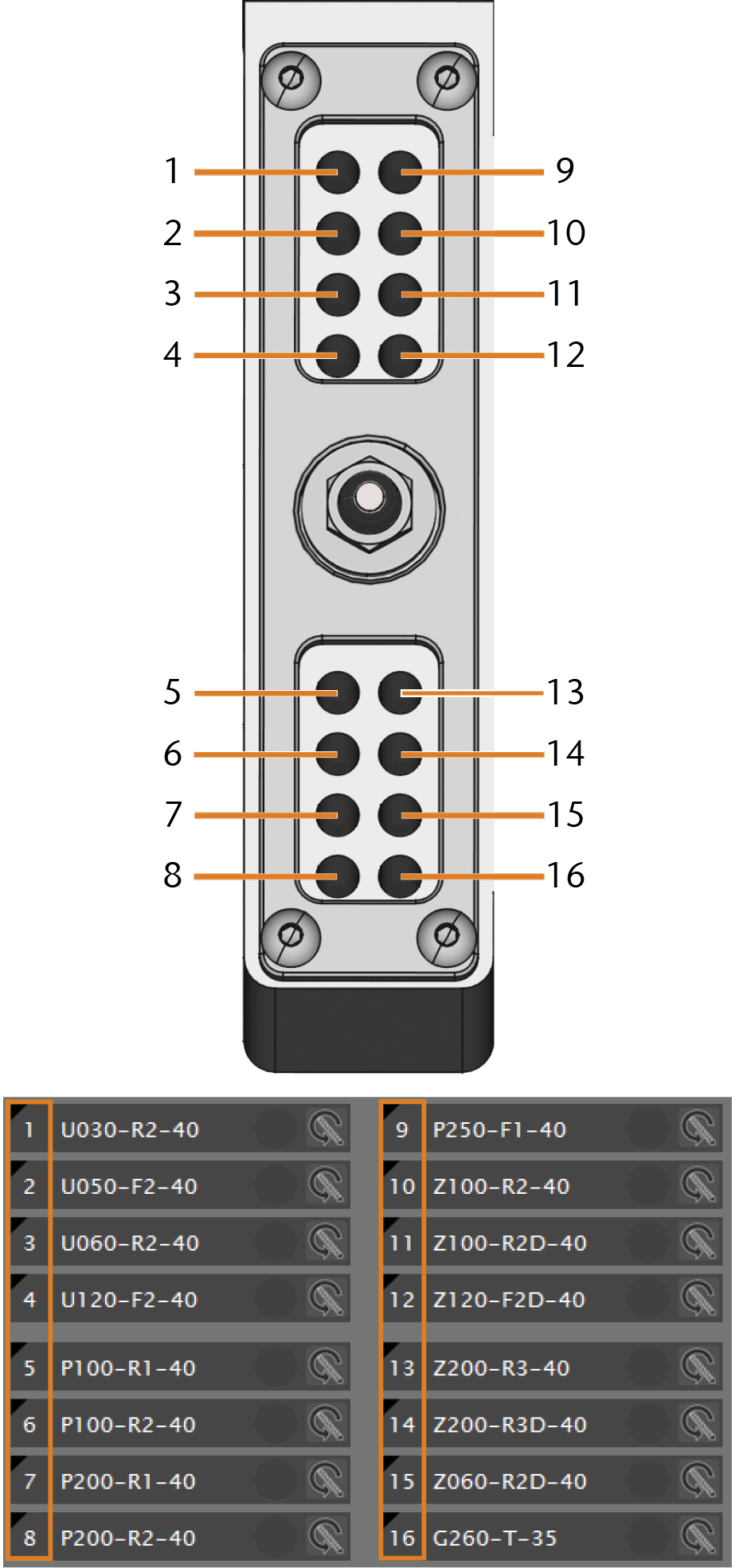
Top: Tool positions 1 – 16 in the tool magazine
Bottom: Tool positions 1 – 16 in dentalcnc


