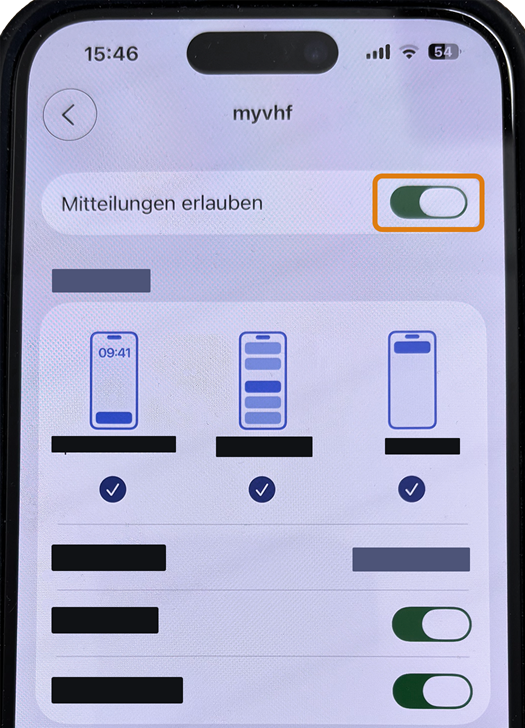
Allowing push notifications on iOS devices
If iOS blocks notifications on your iPhone or iPad, you need to allow them in the iOS Settings.

Requirement You have installed the myvhf app.
-
Open the iOS settings.
-
Select Messages.
-
Scroll down to the app list in the Notification style section.
-
Select the myvhf app.
-
Activate the Allow notifications toggle switch.