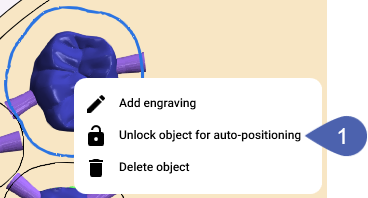
Locking and unlocking Objects for auto-positioning
You can lock objects to prevent them from being moved unintentionally by manually triggered auto-positioning.
Locking objects for auto-positioning
Requirement You are editing a blank in the Nesting view with unlocked objects.
-
Activate the top view with
 .
-
Right-click on the desired object.
-
From the context menu, select Lock object for auto-positioning.
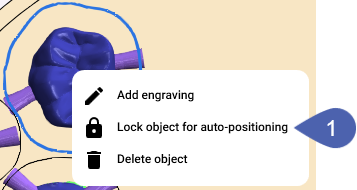
Unlocking the object lock for auto-positioning
Requirement You are editing a blank in the Nesting view with locked objects.
-
Right-click on the desired object.
-
From the context menu, select Unlock object for auto-positioning.