Deleting objects from the blank
If you no longer need objects in a blank, you can permanently remove them from the blank. The original object file remains unchanged.
Requirement You are editing a blank in the Nesting view using any objects.
-
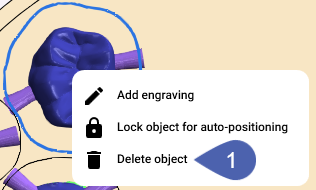
Right-click on the desired object.
-
Select Delete object from the context menu.
-
Select OK.


