Machine overview

Front side of the machine
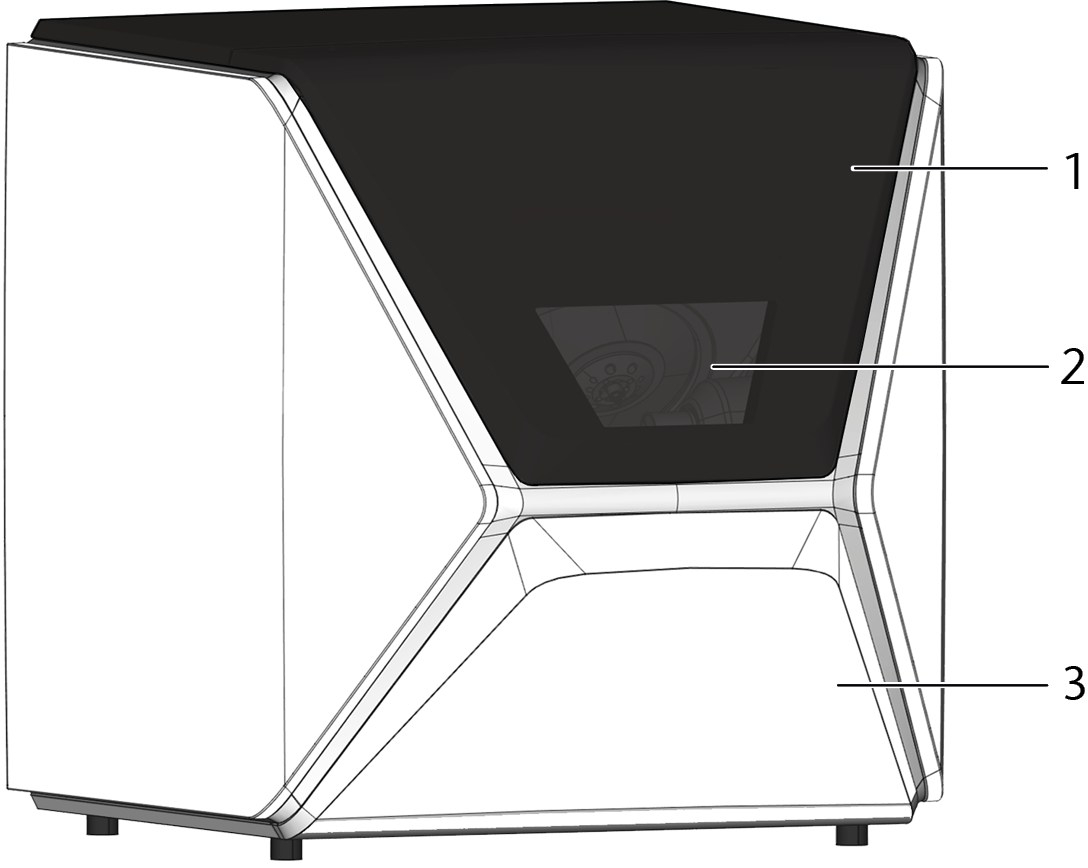
- Working chamber door
- View window to the working chamber
- Multi-purpose drawer
Rear side of the machine
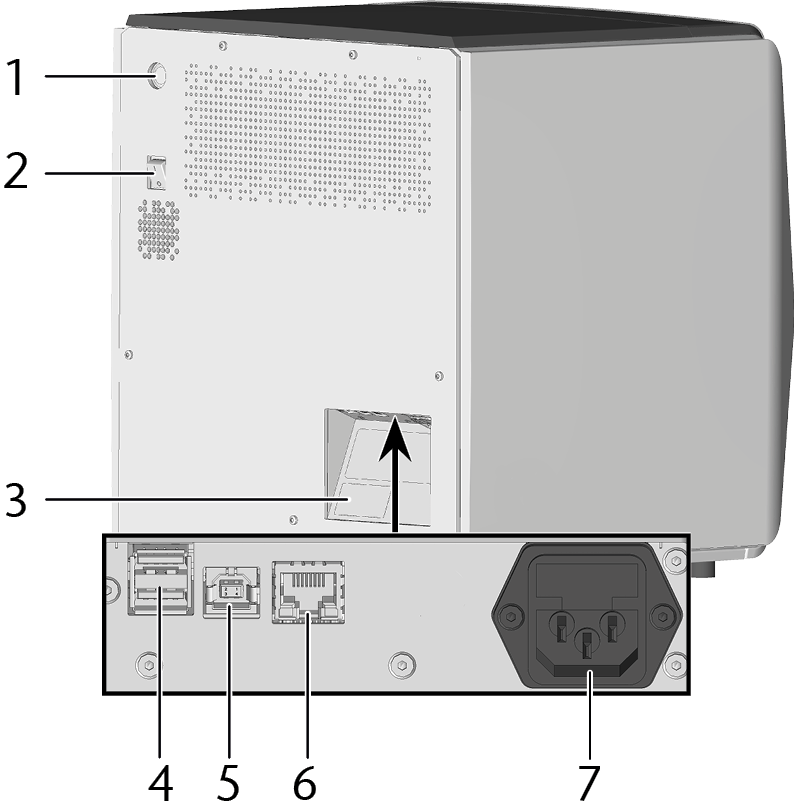
- Start button
- Main power switch
- Identification plate
- 2 x USB port 2.0 A
- USB port 2.0B
- Network port (Ethernet RJ-45)
- Power connection
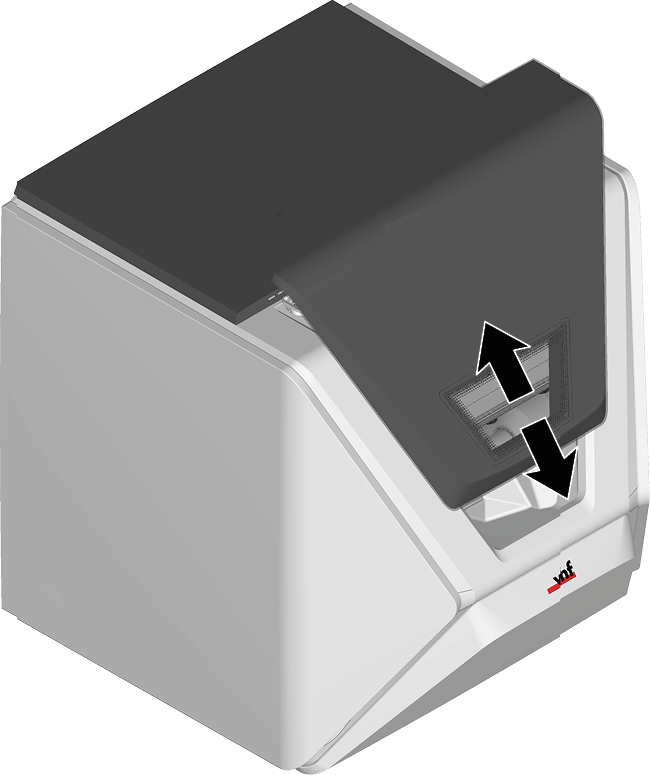
Working chamber door
The working chamber door locks the working chamber and protects the user from injuries during operation.
Working chamber

- Bellow / Nozzle plate
- Spindle with collet chuck for picking up tools
- Blank holder (with collet chuck); Rotational axis A
- Air nozzle
- Tool magazine holder
- Outlet for the cooling liquid
- Air extraction opening
- Measuring sensor
- Webcam
Colors of the working chamber lighting
|
Color |
Status |
Working chamber door |
|---|---|---|
|
White |
The machine is ready for operation. |
unlocked |
|
Blue |
|
locked |
|
Red |
A machine malfunction has occured. |
locked |
Multi-purpose drawer
The multi-purpose drawer contains the cooling liquid tank and up to 5 tool magazines. Unlock the multi-purpose drawer using dentalcnc, and then pull it out by hand.

- Machine serial number
- Cooling liquid tank
- Cover of the cooling liquid tank with strainer basket
- Space for tool magazines
Cooling liquid filter
The cooling liquid filter is located in the cooling liquid tank.

Identification plate and serial number
The identification plate of the machine contains identifying information such as the serial number. You can find the identification plate and machine serial number at the following location: Rear side of the machine


