Connecting the machine

Watch the video
YouTube video – When viewing this video, personal data is sent to YouTube, LLC, USA. Privacy statement
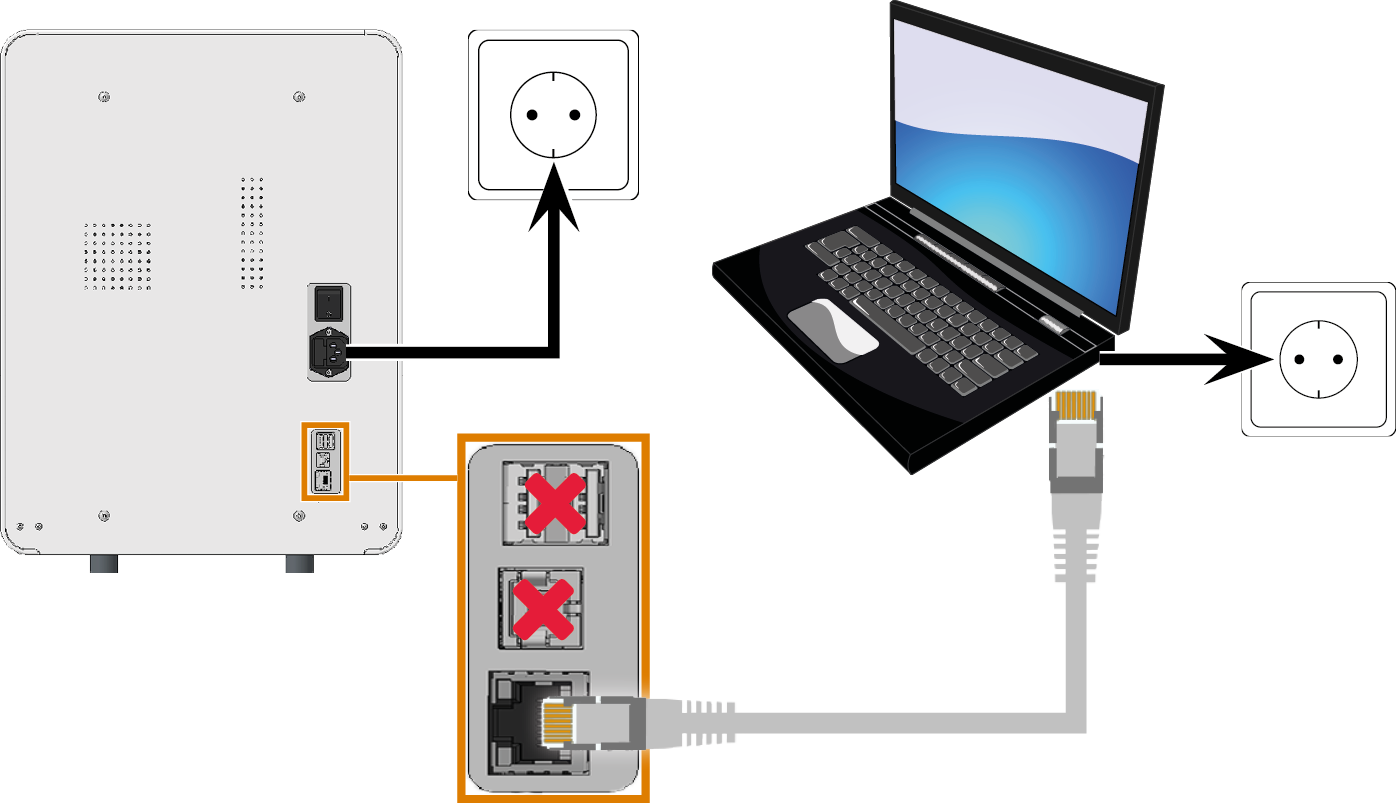
Machine installation scheme
dentalcam computer

Power connection

Network cable
Connect to the dentalcam computer
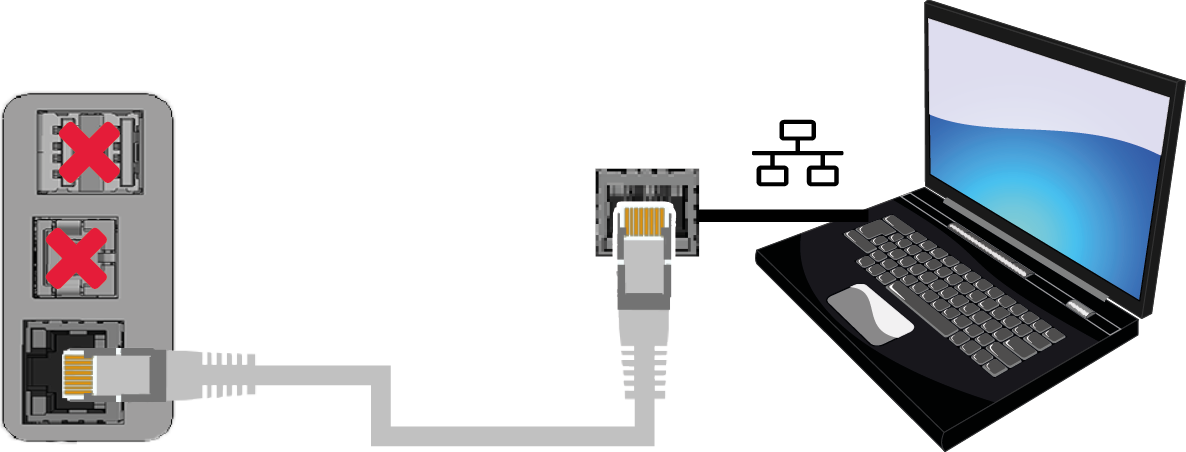
Connect the dentalcam computer to the machine using a network cable.
To avoid connecting errors, we highly recommend that you use the USB or network cable which was provided with the device. Original spare parts are available from customer service.
Establishing a network connection
You can connect the machine either directly to your dentalcam computer or via the local network. For integrating the machine into your network, you will require the assistance of your IT specialist.
-
Plug the provided network cable into the network port at the connection panel of the machine.
-
For a direct connection, plug the other end of the network cable into the network port on the dentalcam computer.
-
To connect through your network, plug the other end of the network cable into a port on the local network (e.g., hub, switch, network jack).
-
The dentalcam computer must also be connected to this network.
-
The IP assignment in the network be performed by a DHCP server.
-
-
You set up the connection between the machine and dentalcam computer using the software during the initial start-up.
System requirements for network cables
- Performance class: CAT-6
- Screened/Foiled Twisted Pair (S/FTP)
- Maximum length of 55 m (approx. 180 ft)
- Premium quality
Establishing the electric connection
The machine requires an uninterruptible power supply for proper operation.
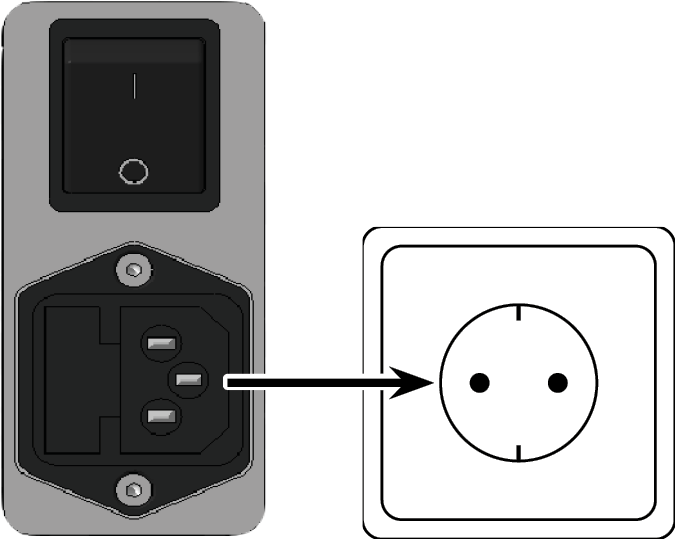
- Plug the provided power cable into the mains connection on the connection panel of the machine.
-
NOTICE! To avoid job interruptions, install an uninterruptible power supply (UPS), type online / VFI (IEC 62040-3, Class 1) if there are regular power failures or frequent mains voltage fluctuations.
- Insert the plug of the cable into a socket that is protected by a Residual Current Device / Ground Fault Circuit Interrupter.